BedRock IT

Custom business systems

Your spreadsheet has done its job. Time for a system.

When the business runs on a shared spreadsheet, a group chat and one person’s memory, jobs, hours and invoices slip through the gaps. We build web systems around the way your team already works: bookings and dispatch, timesheets and invoicing, case and document tracking. Your staff use them on a phone, and you see the whole business on one screen.

Last updated 11 October 2026

Systems we have built

Real screens from systems in daily use. They are shown here with invented sample data and a made-up company name, because a client’s customers, staff and figures never leave their own system.

An airport shuttle operator

Bookings, dispatch and driver app

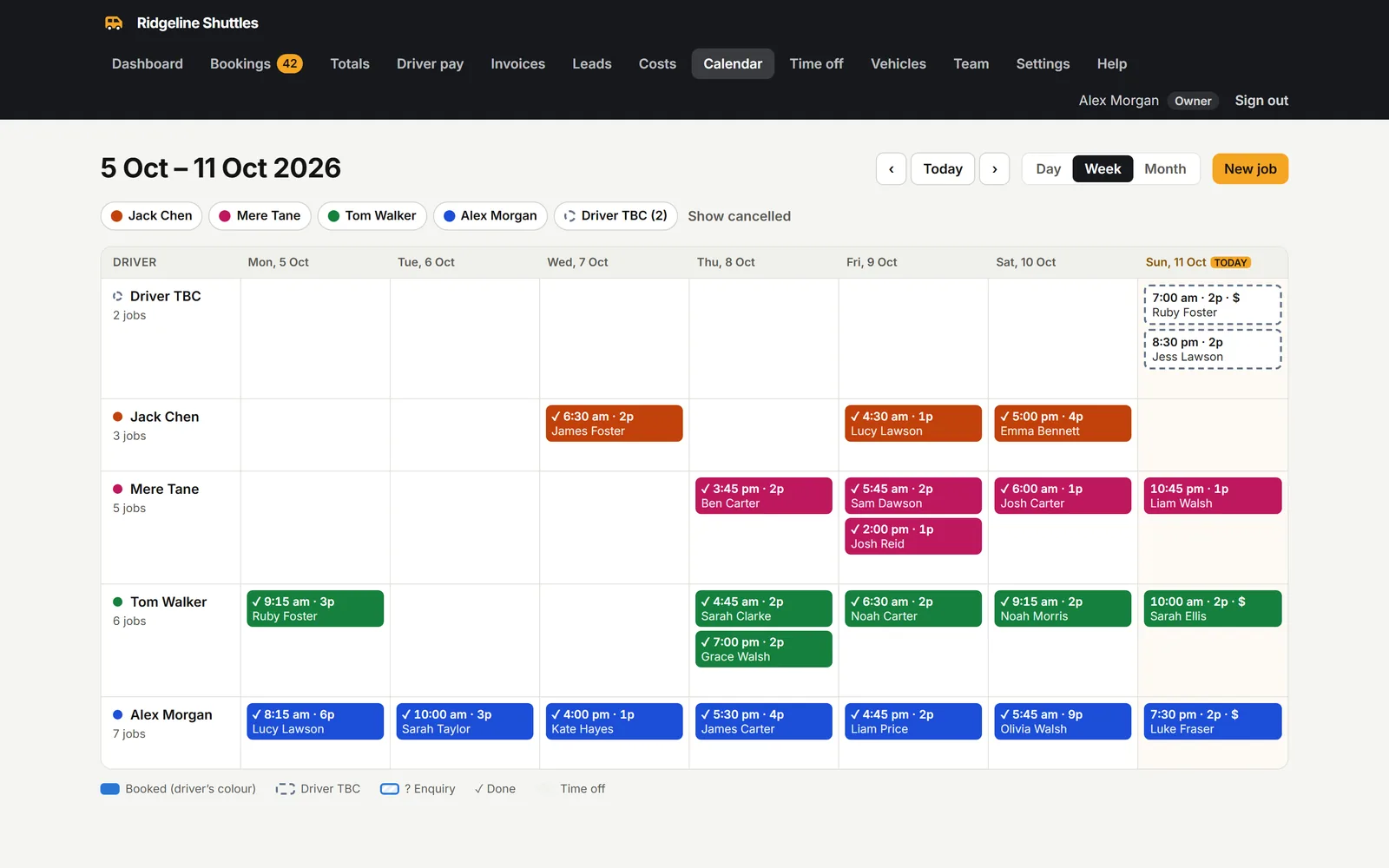
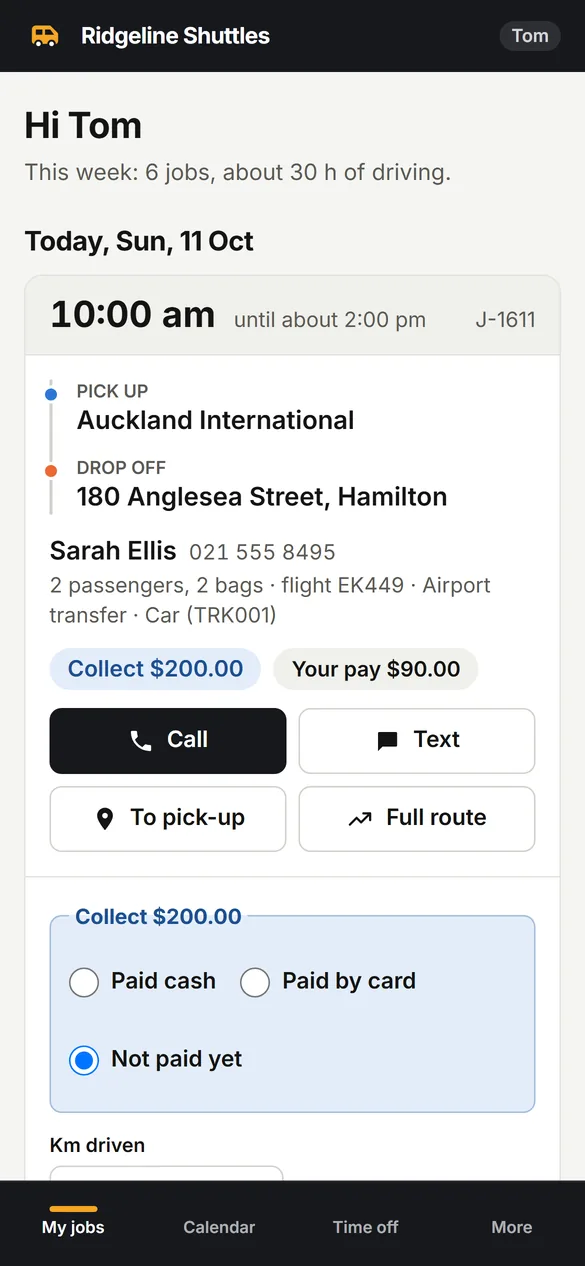
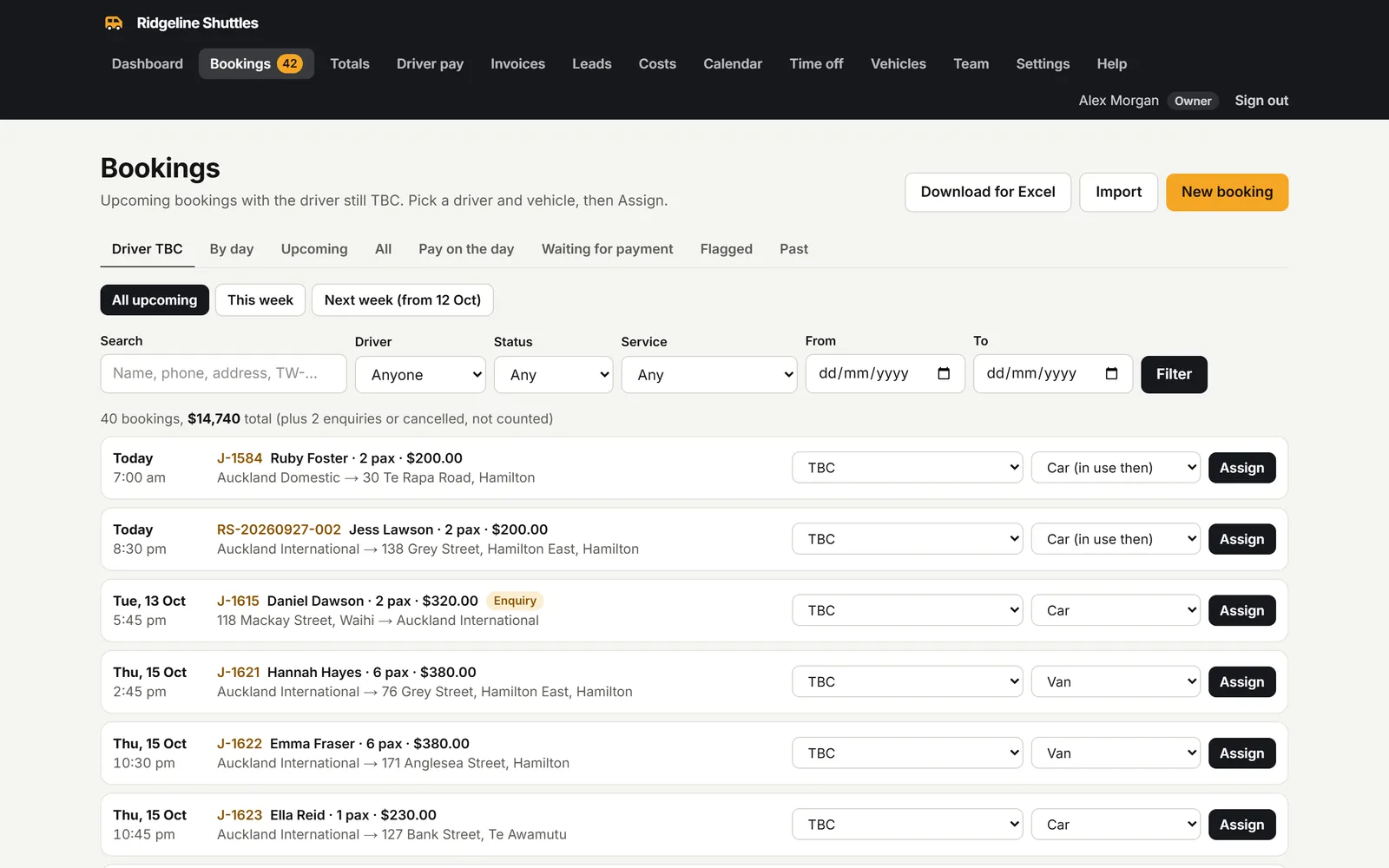
Every booking in one place, a dispatch board that shows who is driving when, and an app on each driver’s phone with only their own jobs.

Replaced: A monthly booking spreadsheet, a WhatsApp group and a lot of phone calls.

  • Week dispatch board: drivers down the side, days across the top, unassigned jobs flagged
  • Drivers see where to go, who to call and what to collect, then mark the job done
  • Return trips linked, shared rides allowed, clashes and time off flagged before they happen
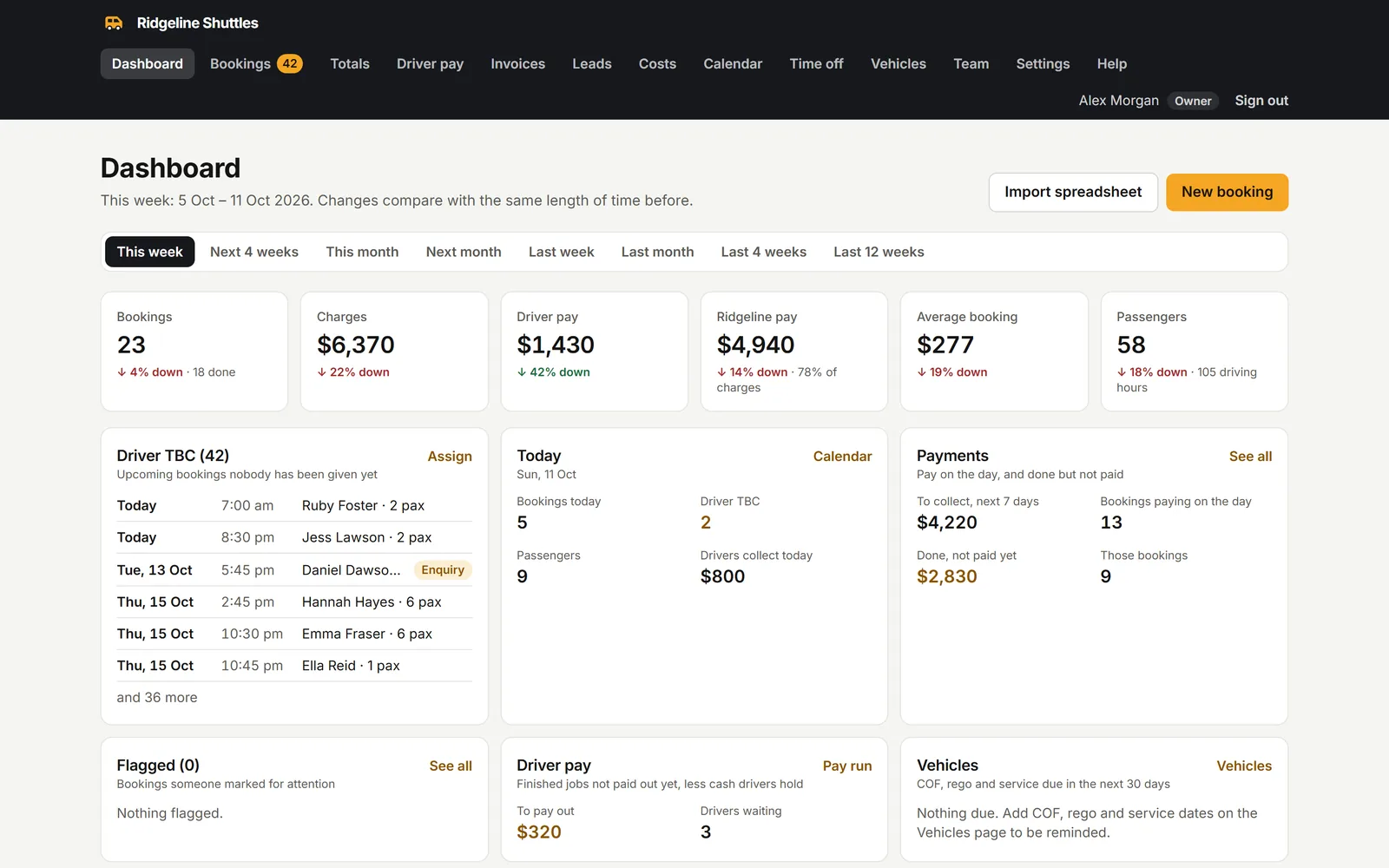
  • Dashboard and month-by-month totals: charges, driver pay and what the business keeps
  • Past bookings imported straight from the old spreadsheet, tab by tab
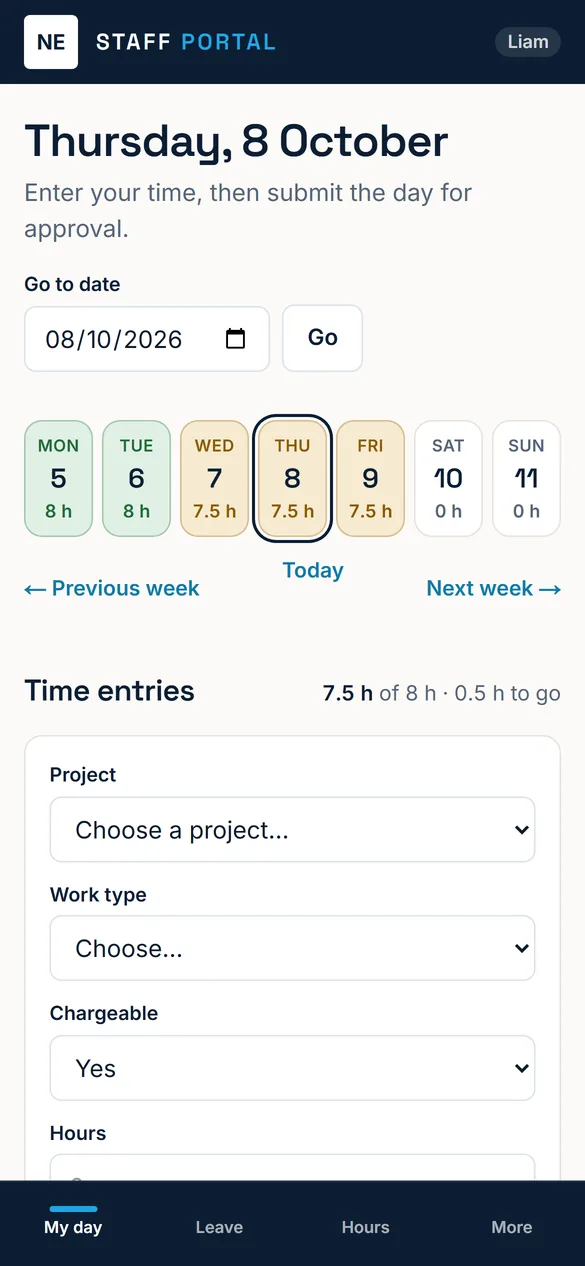
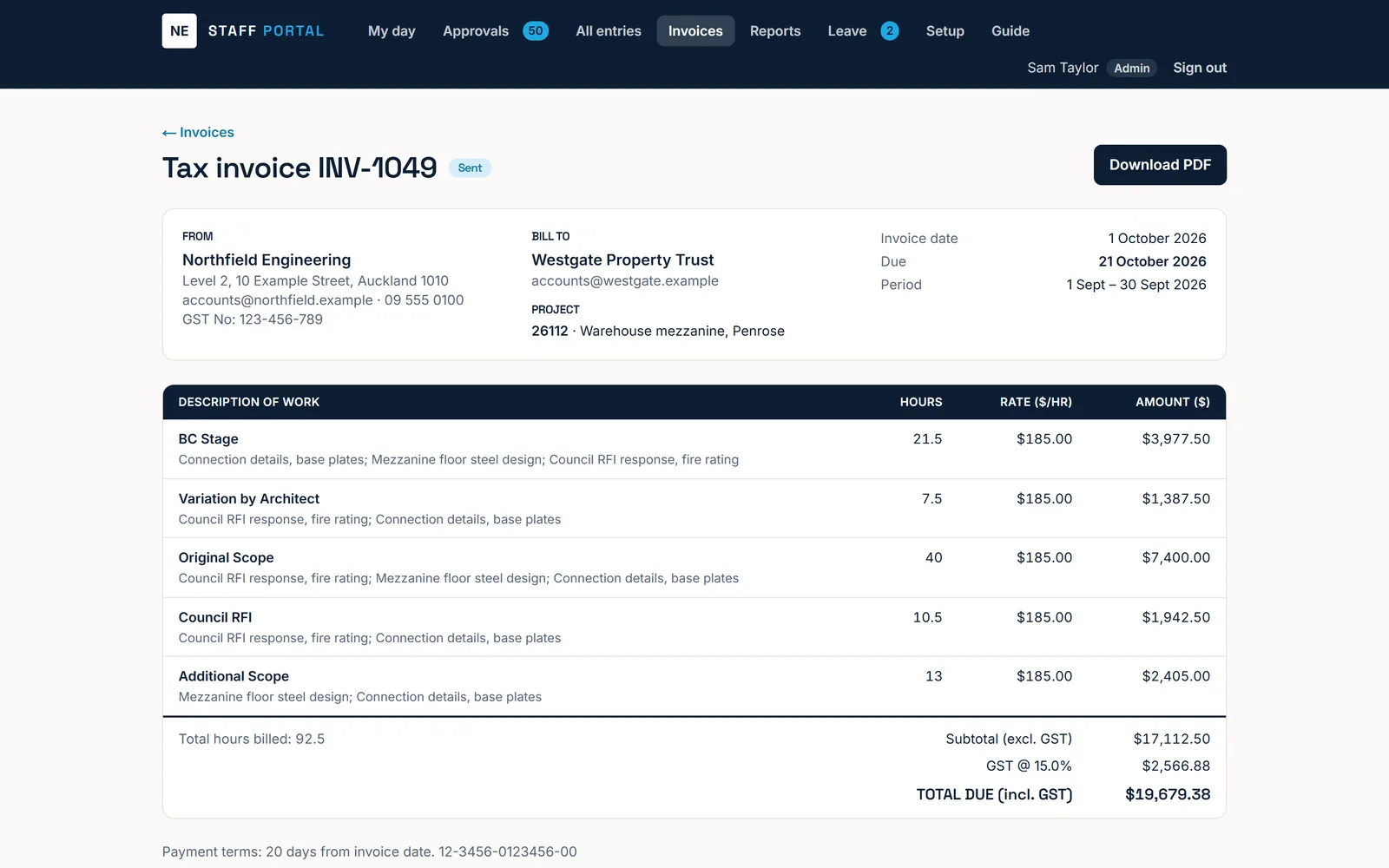
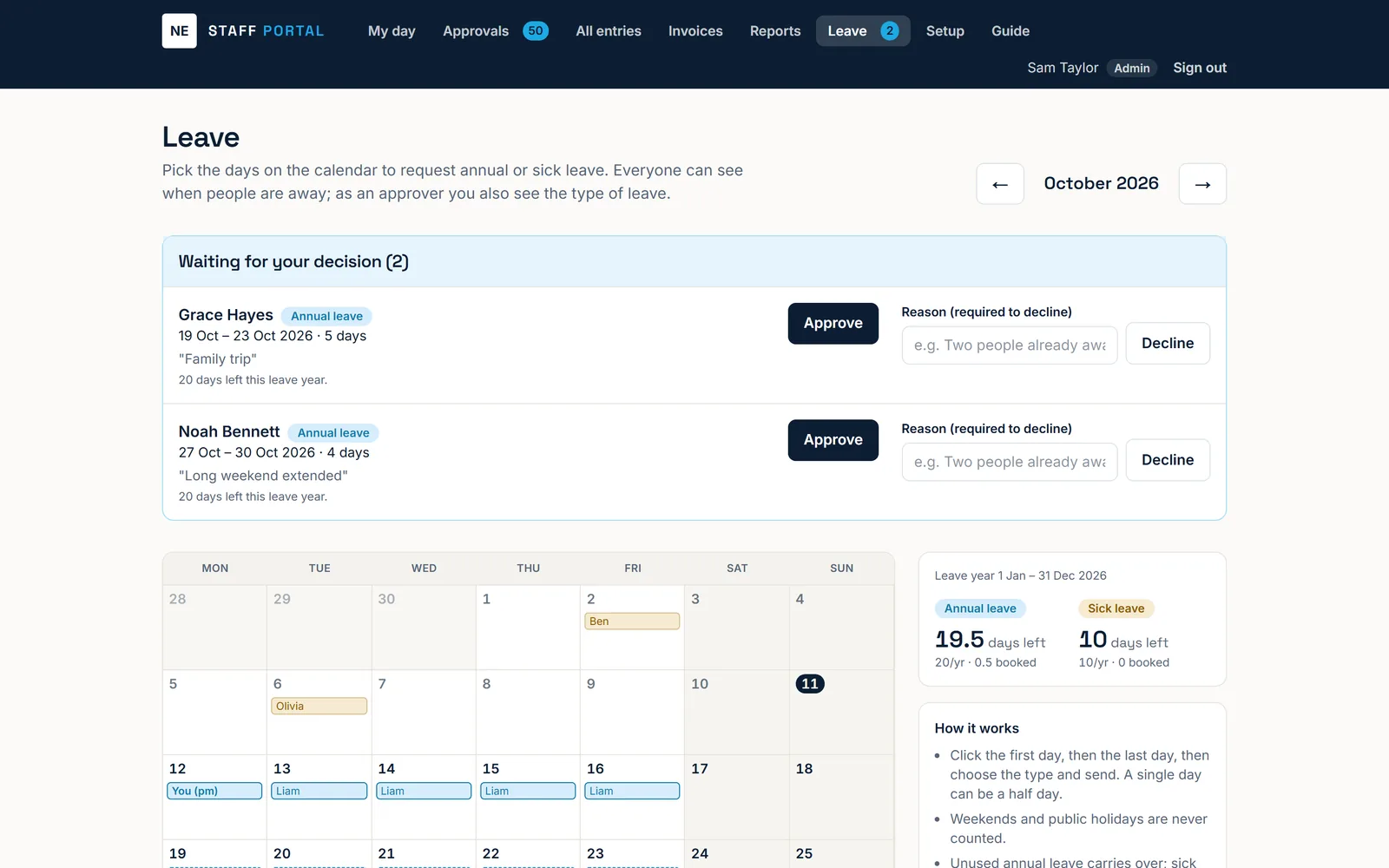
A structural engineering firm with 15 staff

Timesheets, invoicing and leave

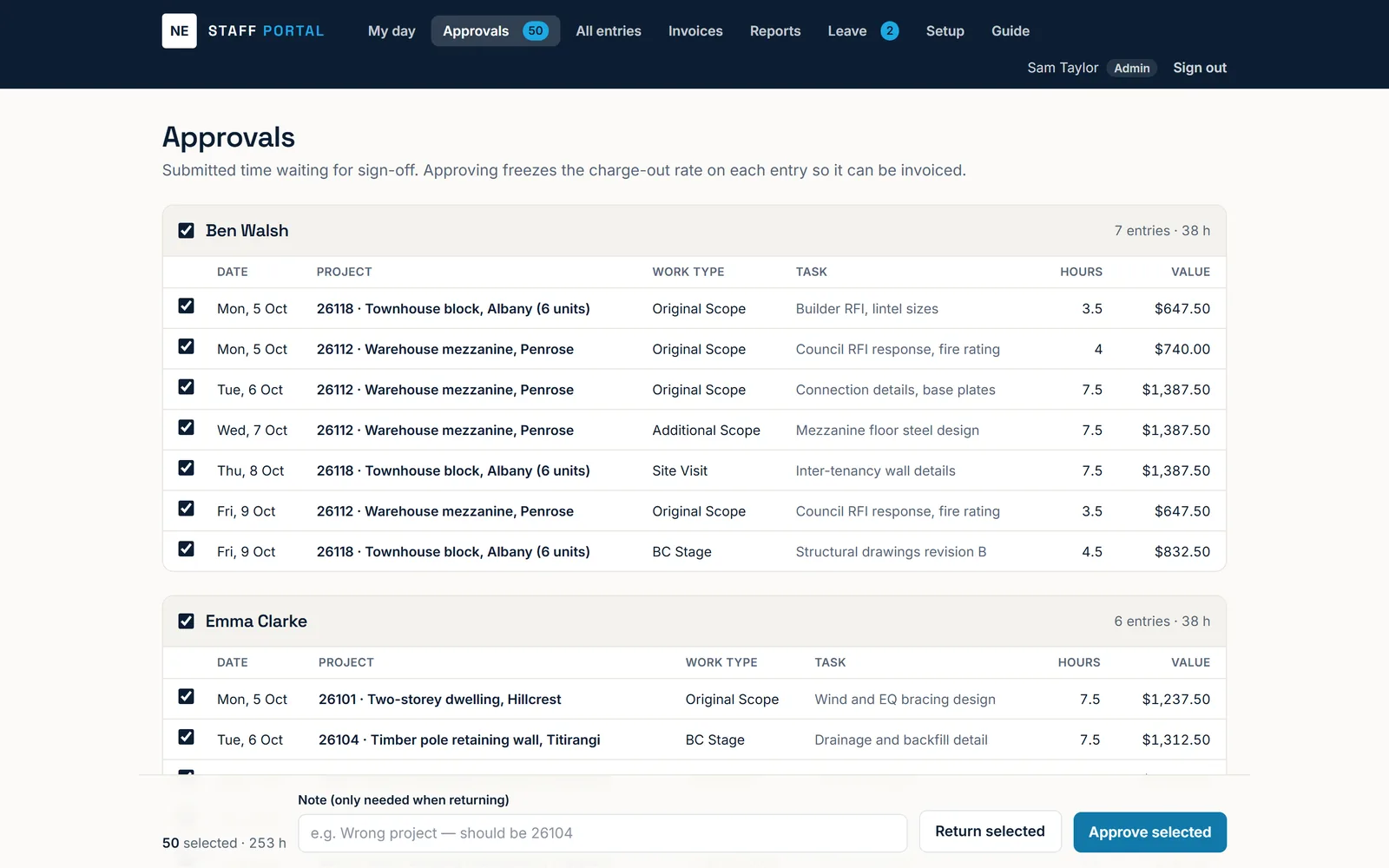
Staff enter their day against a project, a manager approves it, and approved time becomes a GST invoice in a couple of clicks. Leave requests, balances and a team calendar sit alongside.

Replaced: A macro-heavy Excel timesheet workbook passed around by email.

  • Daily time entry by project and work type, from a desk or a phone on site
  • Approval queue that freezes each project’s charge-out rate at sign-off
  • GST invoices built from approved time, with PDF download and Excel export
  • Annual and sick leave requests, NZ balances and a team calendar
  • Charge-out rates and invoice values hidden from staff who should not see them

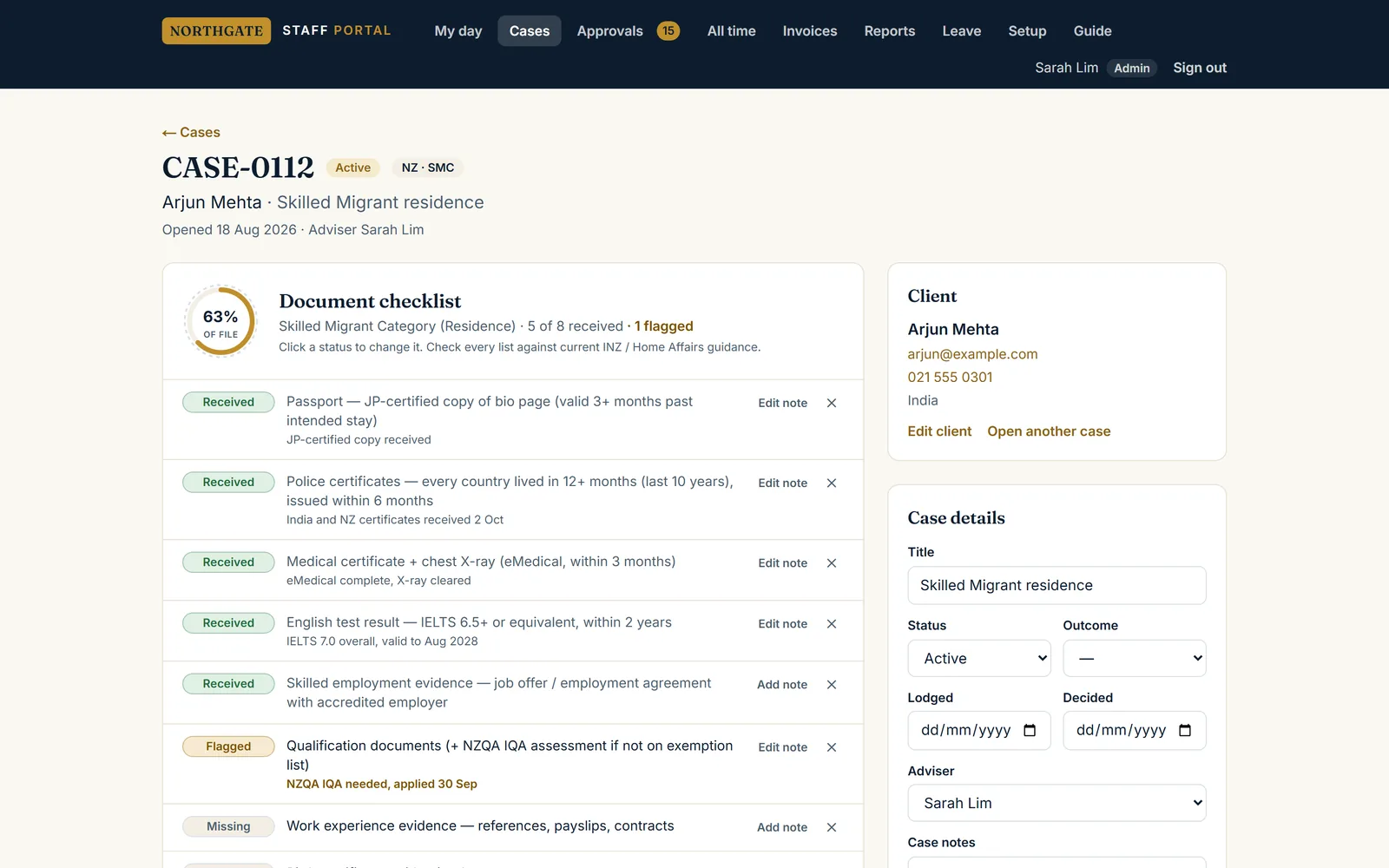
A licensed immigration advisory practice

Case management and document checklists

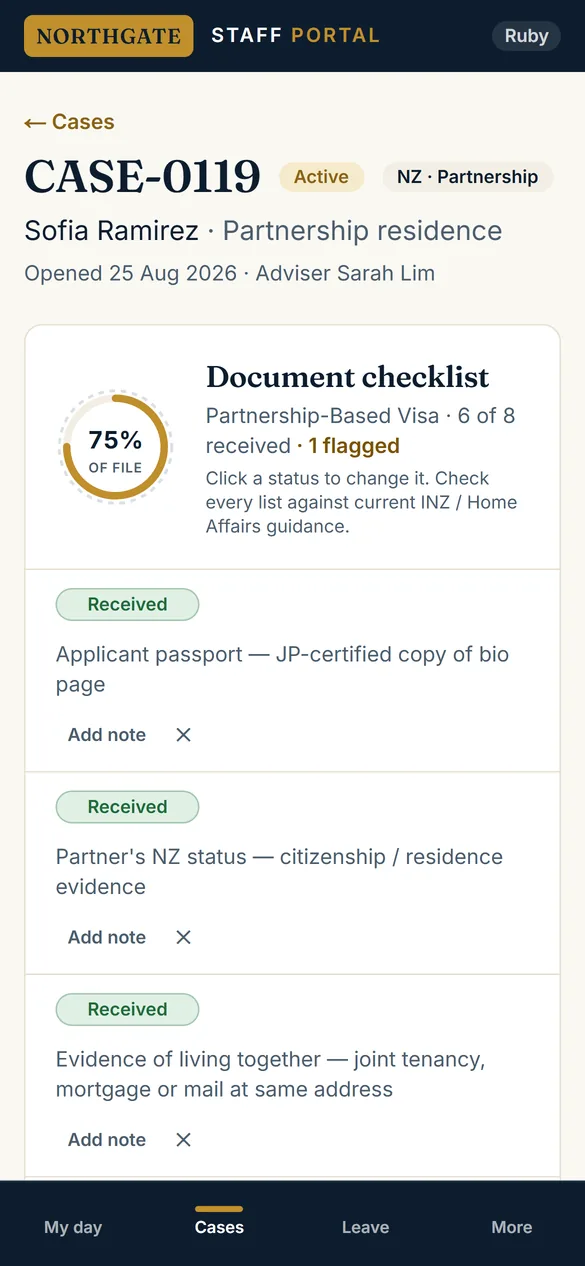
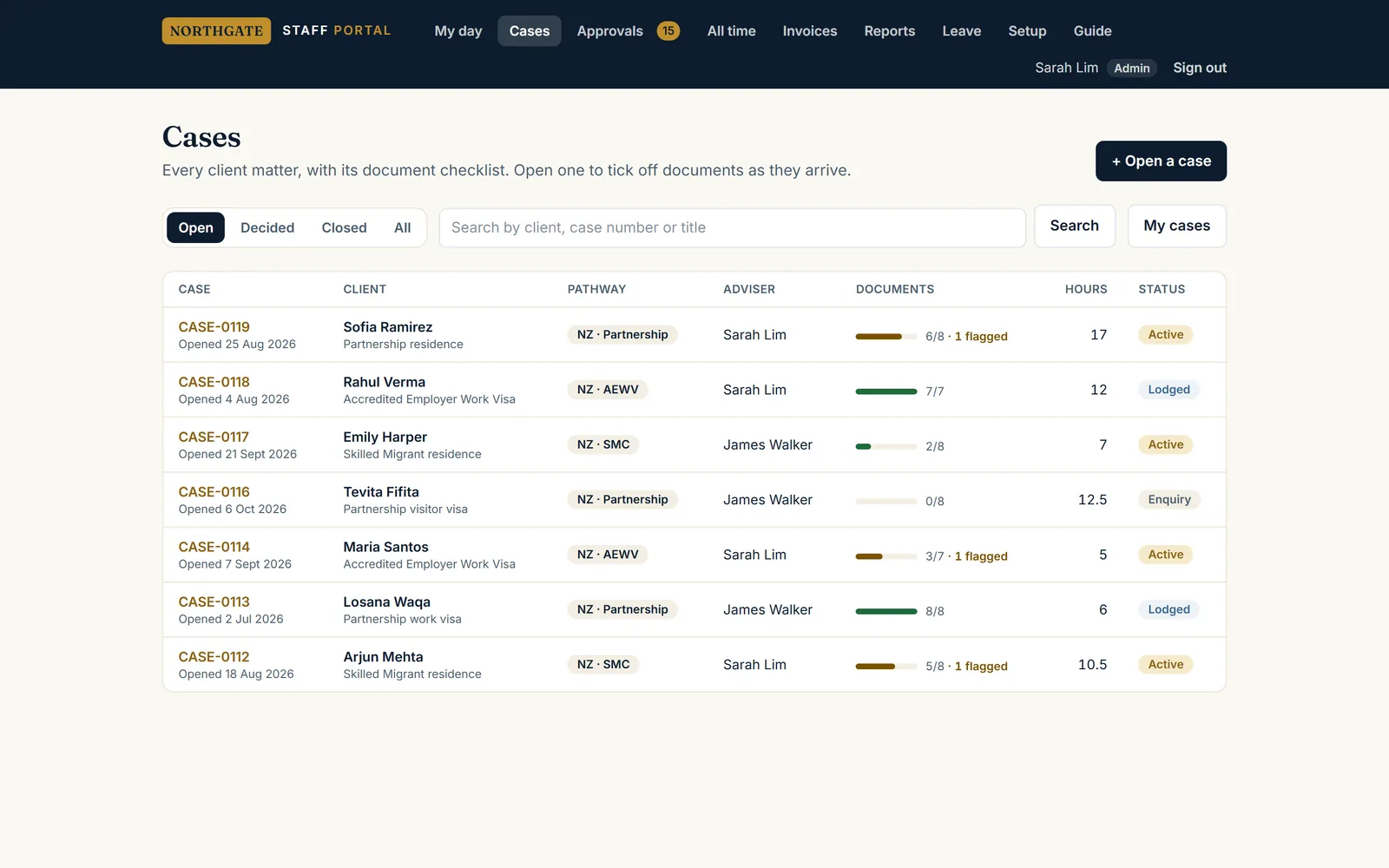
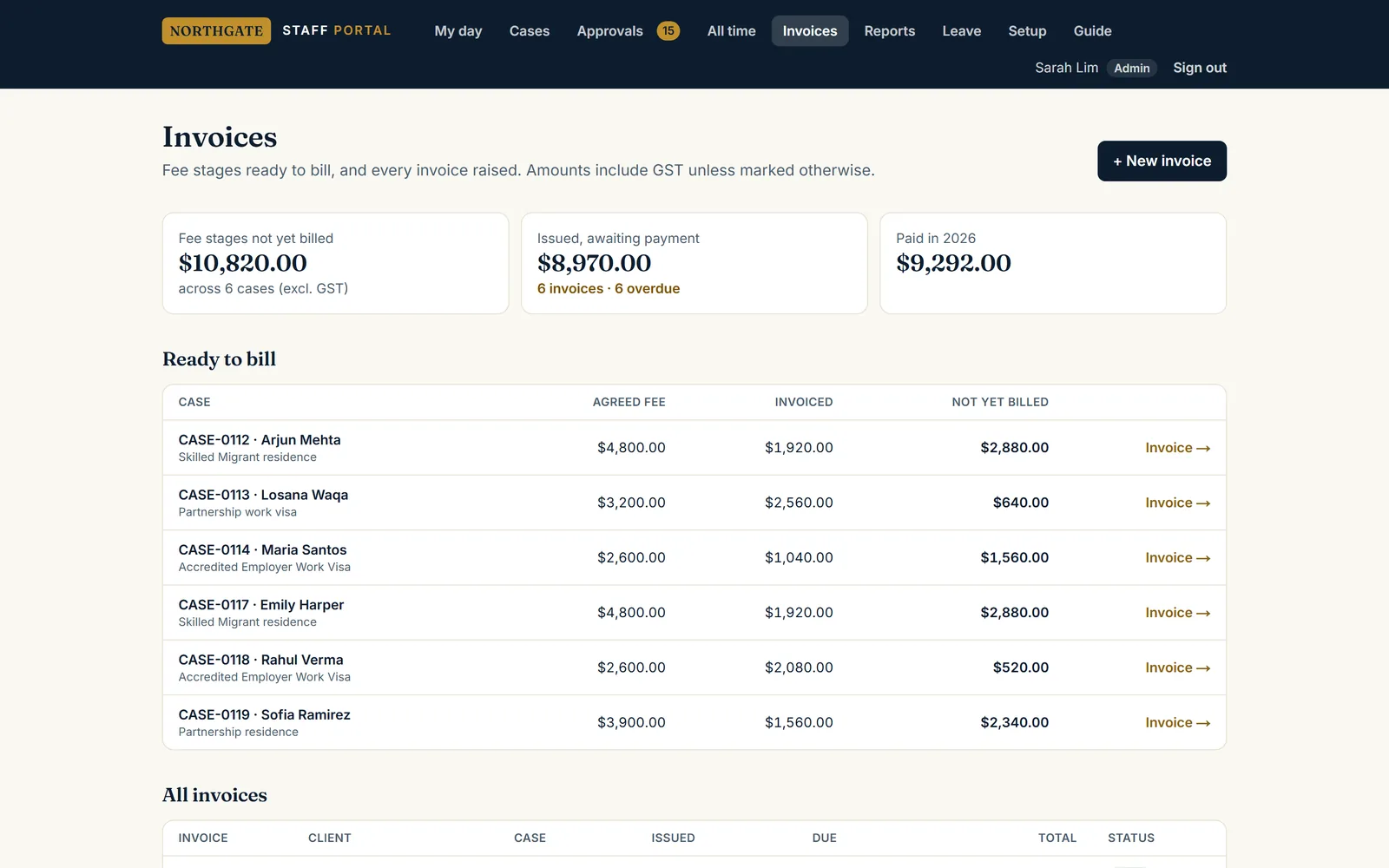
Every client matter is a case with its own document checklist, fee stages and time. Staff tick documents off as they arrive; the adviser sees what is missing across every file at a glance.

Replaced: Folders, email threads and a checklist kept in someone’s head.

  • Document checklist per visa pathway, with received, missing and flagged at a glance
  • Fixed fees split into stages and invoiced as each stage is reached
  • Time tracked against each case, so you can see what a fixed fee really earned
  • Staff can update documents but never see fees or invoices
  • Client data stays in an account the practice owns, not ours

What is included

Built from the spreadsheet you use today

We start from your actual workbook: its columns, its formulas and the workarounds people rely on. Your existing data is imported on day one, so nobody retypes history and nothing familiar disappears.

Everyone sees only what they should

Drivers see their own jobs, staff see their own time, owners see the money. Permissions are enforced by the database itself, not just hidden on the screen, so a curious login cannot reach what it should not.

Made for the phone in the van or on site

A bottom menu, big buttons and a home-screen icon that opens like an app. Built for the person in the field as much as the person in the office, with a short in-app guide for each role.

Invoices and exports your accountant will accept

GST invoices built from approved work, PDF downloads, and Excel exports of anything on screen. Billable time stops leaking between the timesheet and the invoice.

Hosted in Australia, backed up and restore-tested

Systems run on Vercel and a Postgres database in Sydney. Backups are set up and tested by actually restoring them, rather than assumed to work.

Your data stays yours

Export everything at any time. Where it suits, the database sits in an account your business owns, so you are never locked in to us to get your own records back.

How it runs

01

Walk-through

We sit with the people who use the spreadsheet and watch how the work actually moves: who enters what, who checks it, where it goes wrong. That is the brief, not a feature wish-list.

02

Fixed quote

You get the screens, the roles and what is in the first version, with the price fixed in writing before anything is built.

03

Build on your real data

A working first version, loaded with your own imported data, usually within a week or two. You test it on real jobs while we adjust.

04

Go live and support

We set up the team’s logins, run a short walk-through, and stay on call. Changes after launch are quoted before we start them.

What you should expect

  • One place for the work, instead of a spreadsheet, a group chat and memory
  • Invoices built from approved work, so billable hours stop slipping through
  • Staff and drivers use it on their phones without a training day
  • The week, the money and what is outstanding, visible at a glance

Common questions

How much does a custom business system cost?
It depends on how many roles, screens and documents are involved, so we price it after a walk-through of how you work today, and fix that price in writing before building anything. As a guide, a focused system for one team is usually a few thousand dollars to build, plus a small monthly fee for hosting, backups and support.
Why not just use off-the-shelf software?
If an off-the-shelf tool genuinely fits, we will tell you to use it. Custom makes sense when you are paying per user, per month, for software that only half fits, or when the way you run jobs is part of what makes you better than competitors and you do not want to bend it to suit someone else’s product.
Can it import our existing spreadsheet?
Yes, and it should. We have imported a year of bookings from one-tab-per-month workbooks and rebuilt project lists from timesheet files. Importing your history on day one is what makes the switch painless, because the new system already knows your customers and jobs.
Does it work on phones?
Yes. Every system we build is designed for phones first: a bottom menu, large tap targets, and a home-screen icon so it opens like an app. Office screens such as dispatch boards and invoicing are laid out for a desktop as well.
Where is our data stored, and who owns it?
In a Postgres database in Sydney, with the application on Vercel. You own the data and can export it at any time. Where it makes sense, for example with sensitive client records, the database sits in an account your business owns outright.
Can you build something other than bookings, timesheets or cases?
Yes. The pattern is the same for anything currently living in a spreadsheet and a group chat: job tracking, quoting, rosters, inspections, client portals, lead tracking. If your team copies information from one place to another every day, that is usually where a system pays for itself.
What happens if something breaks or we need a change?
You contact us directly and speak to the person who built it, not a ticket queue. Changes are quoted before we start them, so there are no surprise invoices.